


Chrome extension · Now on the Chrome Web Store
Screenshot flows,
snapped by hand.
Snap saves the exact moments you choose in Chrome, keeps them in order, and lets you annotate and export the whole journey. No video. No account. Nothing uploaded.


How it works
Three steps from page to shareable flow
-
01
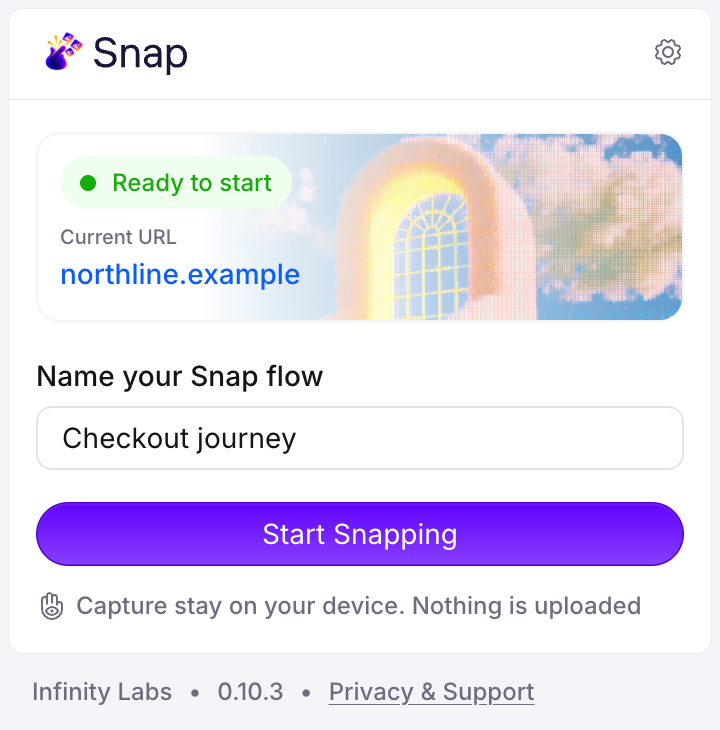
Start a flow
Open Snap on any website, name the journey, and press Start Snapping. A small toolbar appears on the page.
-
02
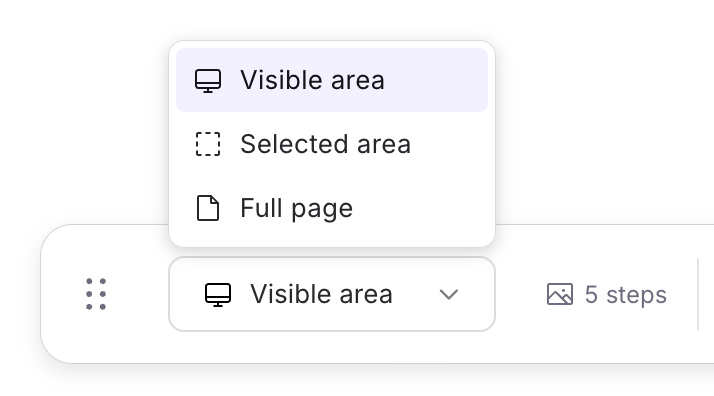
Snap what matters
Capture the visible area, drag to select a region, or stitch the full page. Press ⌥⇧S without leaving the page.
-
03
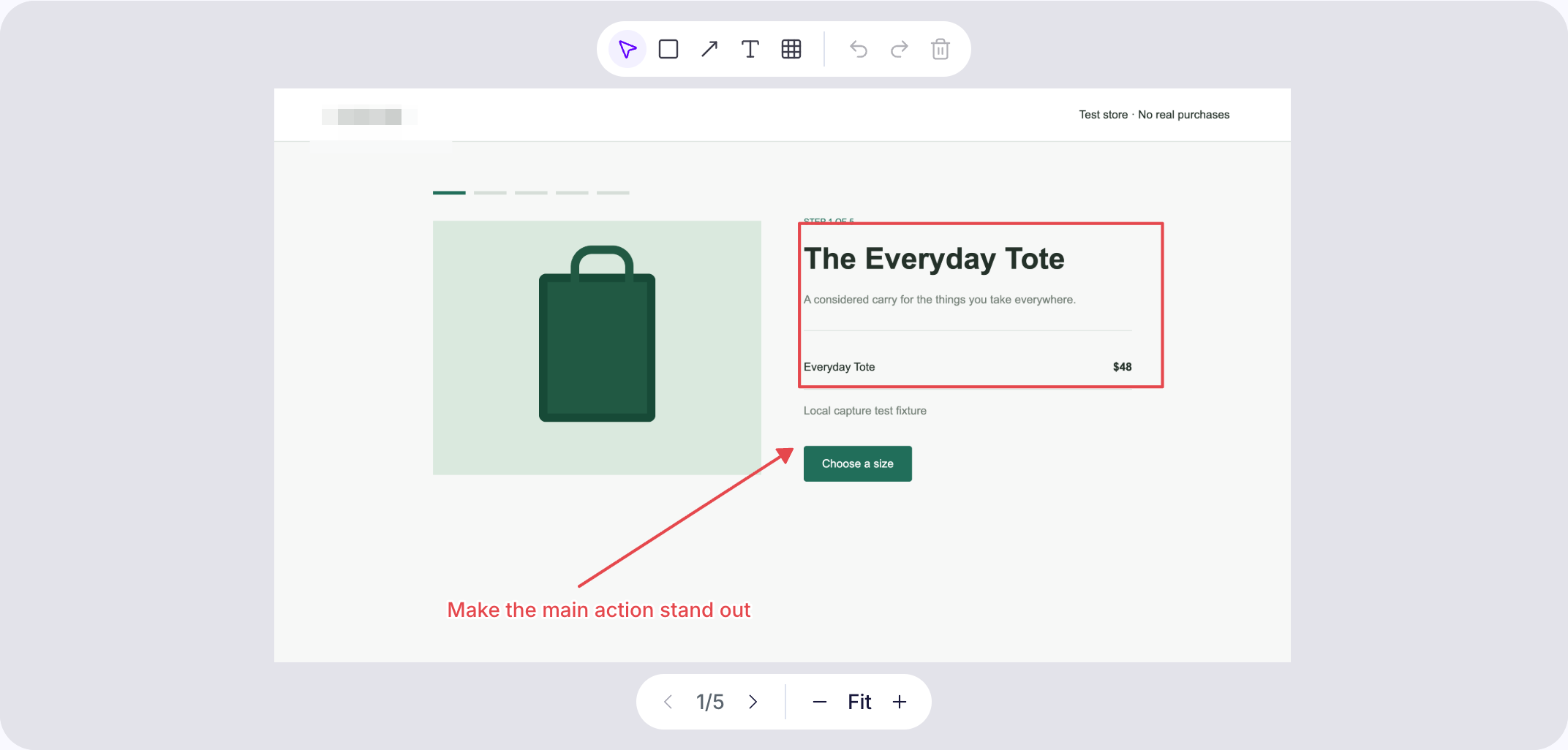
Review and export
Reorder steps, add notes, annotate or redact, then export PNG, ZIP or PDF, or paste the flow straight into Figma.
Features
Everything a flow needs, nothing it doesn't
Three capture modes
Visible area, a selected rectangle, or the full page stitched automatically, with fixed headers shown once.
Annotate and redact
Rectangles, arrows and text call out what matters. Redact pixelates sensitive areas in every export. Originals stay untouched.
Organize the story
Drag or use the keyboard to reorder, rename steps, add descriptions, and restore anything you remove.
Export anywhere
Single PNGs at any width, a numbered ZIP with flow notes, print-ready PDF, or copy the whole flow into Figma.
Keyboard first
A fixed shortcut to snap, arrow keys through steps, and shortcuts for every annotation tool.
Light and dark
A calm editor in both themes, following your system or your choice, with a toolbar that stays out of your screenshots.
- PNG
- ZIP
- Figma
Local by design
Your screenshots never leave your device
Snap has no account, no cloud sync, no analytics and no AI processing. Flows are stored in your Chrome profile and encrypted at rest. You decide what gets exported and shared.
Read the privacy policy- Nothing uploadedNetwork access is blocked inside the extension.
- Encrypted at restAES-GCM with a key kept in your browser profile.
- Only when you askNo automatic captures, no keystroke or click logging.
- Narrow permissions
activeTab,scriptingandstorage. No all-sites access.
FAQ
Questions, answered
Does Snap record video?
No. Snap only saves the screenshots you take, one step at a time. There are no automatic captures when you click, scroll or navigate.
Where are my flows stored?
In your Chrome profile on this device, encrypted. Export anything important before removing the extension or clearing browser data.
Can I hide sensitive information?
Yes. Draw a redaction over any area and it is pixelated in every PNG, ZIP, PDF and Figma export. Your original capture is kept unchanged in the editor.
Does it work on every website?
On normal web pages, yes. Browser-internal pages and incognito tabs are excluded. When you move to a new site, Chrome may ask you to open Snap again to grant access.
How long can a flow be?
Up to 120 steps or about 200 MB per flow. Full-page captures stitch up to 30 screens.

Get Snap for Chrome
Install it from the Chrome Web Store and snap your first flow in a minute. No account needed.